
Digital Apprenticeship Certificates

Digital certificates are coming to Apprenticeships by the Apprenticeship Service. This new scheme will enable quicker delivery, more robust certificate authentication and safer handling and delivery of all Apprentices proof of achievement.
The Apprenticeship Service, provided by the UK government to support the delivery of Apprenticeships, is introducing a digital-first apprenticeship certificate. Apprentices can now access and download their apprenticeship certificate through a new digital certificate service. This change means apprentices will no longer need to receive a physical certificate by post as part of the certification process. Apprentices will access their certificates directly through the digital service once they become available.
View and share an apprenticeship certificate – GOV.UK
What you need to do
All apprentices will need to obtain and keep a record of their unique learner number (ULN) before they complete their Apprenticeship. If an apprentice does not know their ULN, please use the guide below in order to find this.
Having your ULN readily available will help securely access and download their certificate as soon as it becomes available.
Step 1: Access your portfolio
Navigate to your portfolio from the Prostart website or through any links that have been shared with you.
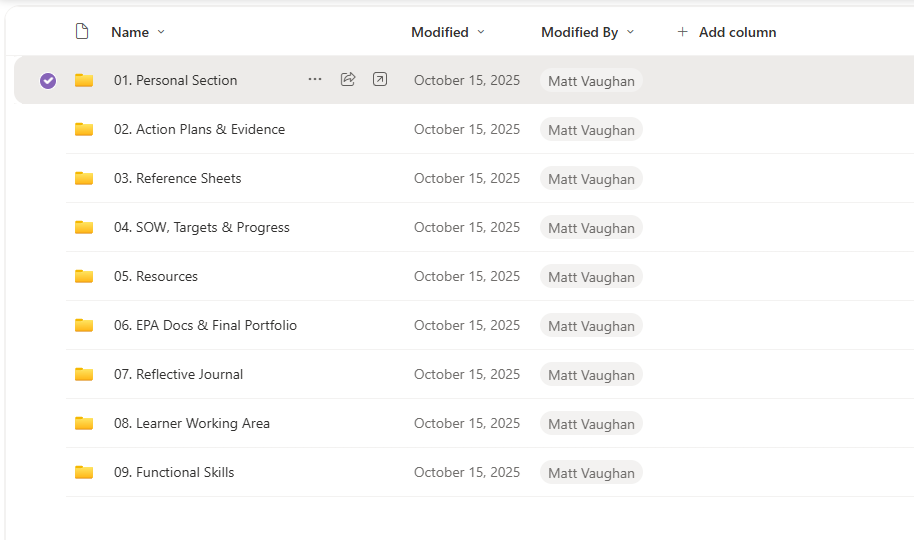
Step 2: Navigate to the Training Plan
From the portfolio, in folder 01. Personal Section, find the document called Training Plan
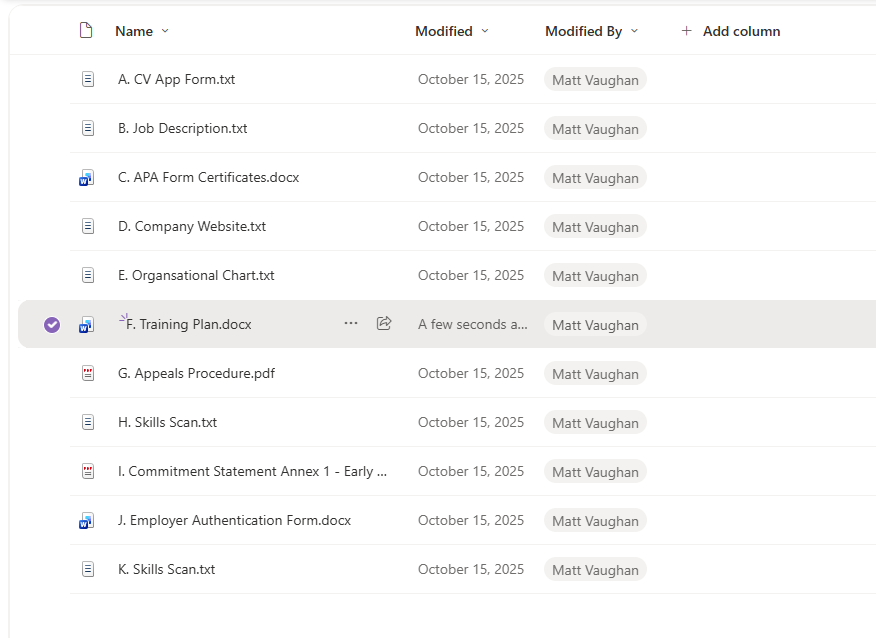
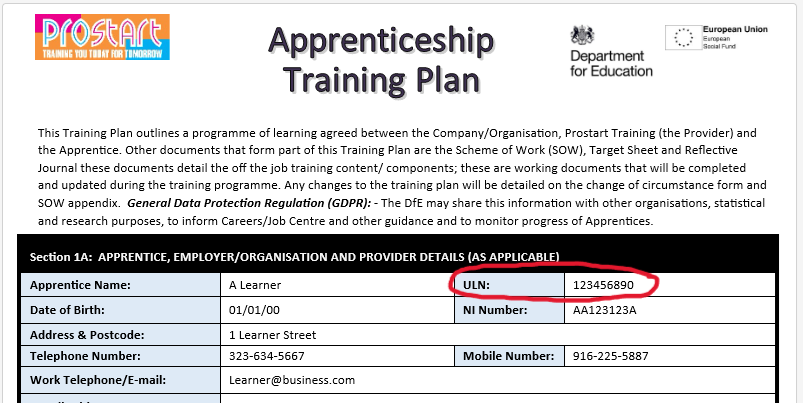
Step 3: Find ULN in details
At the top of the Training Plan in section 1A, find the ULN for use to access your digital certificate on the Apprenticeship Service site.
Step 4: Access the Apprenticeship Service site
Use the site to sign in and access your digital certificate